
 Satoru Iwata, president of Nintendo has gone on record with his thoughts of the Wii friends code system. He’s a father, with a daughter, so he’s letting his own personal judgment get in the way of a good community built game system.
In talking about the open access of the Internet he said, “I as a father do not feel like allowing my daughter be engaged in that kind of world.” He’s more inclined to protect his children from the dangers of the Internet and random (often insulting) people by requiring a 1:1 paring with real friends.
For many gamers the Wii friends code system is far from perfect. It’s so far from perfect its a barrier to entry and any form of fun on the console platform. Nobody is against protecting their children, a parent will be the first to admit they’re desire to protect their kids over all else, but clearly someone isn’t thinking outside the box on this topic.
The only way to protect your children is to enforce a large numeric key which you must hand deliver (or e-mail) to your friends in order to play? We’ve got more creative enforcement in child safety on our TV sets using the VCHIP which allows parents to password protect certain television programming.
It’s not hard to consider a tiered security setting where the adult must unlock the system for online access, by either requiring a credit card to provide evidence you’re old enough or simply asking for your birth date before beginning online registration. Once you’ve done that you can set a management password to control online access.
A parent should have a management console within the Wii to manage sub-accounts on the console and grant certain access. Using a send/receive friend system through the console like Xbox Live would easily be implemented where the parent can (if configured) require all inbound/outbound friend requests to go through them as a proxy.
Other access grant/revoke features:
- Online Gaming: Lock children down to playing online on specific games or full restrictions to disallow online play.
- Online Friend Gaming: Allow children to only play online with friends in a private game.
- Voice Chat: Allow voice chat with friends and anonymous gamers with the ability to restrict all voice chat or force mute on non-friend gamers. This limitation can be enforced in text-chat as well.
- ESRB Rating: Limit game play to specific levels of ESRB ratings.
It’s clearly possible, with a tiny bit of infrastructure, to limit your child’s online presence without adding more barriers than needed. The console should ship with the highest level of restrictions so a gamer parent that doesn’t want to deal with the complex barriers has instant protection, but a parent with a little patience can setup their child’s online play to be toned exactly as needed for their age.
As it is now, the barriers cause any adult gamer to become frustrated and move towards other online avenues such as Xbox Live or Sony’s PSN. Nintendo’s so closed minded about their implementation that they’ve limited the network play to being nothing but a nusense and continual aggrivation with entering dozens of pin numbers (“friends codes”) to play.
For great ideas on how to design a network infrastructure some top executives should keep an open mind, jump on Sony’s PSN and Microsoft’s Xbox Live solutions and see how they do it. Once you’ve played Halo with a bunch of swearing and cursing twelve year old children you’ll be able to figure out a few tweaks and restrictions you can add to voice chat to make the experience much cleaner and friendlier.
It feels as if Nintendo hasn’t put any effort into exploring the idea of a layered pretection system in a community atmosphere. Child saftey can be enforced at many levels and handled differently for varying age groups. Don’t be lazy Nintendo, put some time into it.
 The most important feature we’ve found with the new console software is the addition of Netflix. The ability to play software in the “Instant Queue” is excellent, fast and done with high quality. If you have children this may be one of the must-have product features; add a ton of family movies to the Netflix Instant Queue and your children will have hours of entertainment.
 Just in case people were actually thinking the Xbox 360 was going to hold out against a viral console, Nintendo is now the best selling console in the United States. Anyone really surprised?
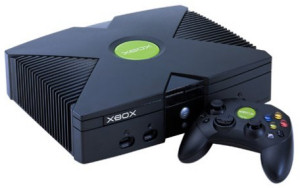 Only 13.4% of gamers are playing the Wii even though it’s the hottest selling console on the market, showing the fury of the casual gamer it seems. It’s trendy to own a Wii but it’s not trendy to play it; it would be interesting to see how much of the 13.4% is Wii Sports.